
Solve The Cube Typing Accuracy Tips for Clean Turns
Solve The Cube typing accuracy relies on steady sequence recall rather than frantic key mashing. Memorizing the prompt fully before entering characters prevents input resets, keeping your turn execution clean during competitive rounds to secure wins and pursue fast times.
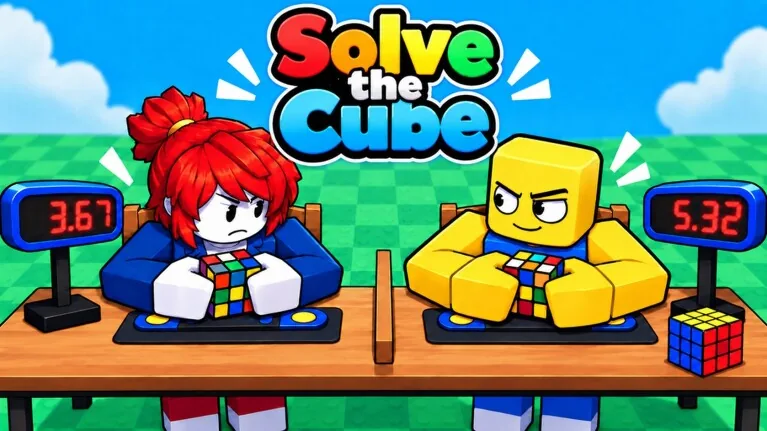
Solve The Cube typing accuracy relies on steady sequence recall rather than frantic key mashing. Memorizing the prompt fully before entering characters prevents input resets, keeping your turn execution clean during competitive rounds to secure wins and pursue fast times.
Input Mechanics and Sequence Recall
In Solve The Cube, turns occur when you accurately input stored patterns. The game displays an input prompt that you must commit to memory before typing it out to rotate segments of the puzzle. Servers hold up to 30 players, placing your typing speed directly against active opponents in real-time matches.
Rushing to press buttons before finishing your visual scan often results in incorrect strokes. When you mistype a key, the sequence fails to register the move properly, stalling your progress while opponents advance. Treating the prompt as a single mental unit rather than individual scattered letters keeps your hands moving in a predictable rhythm. Reviewing the required key sequence before your fingers touch the keys creates fewer pauses, which is essential to understand how to turn the cube quickly during a live round.
Maintaining Accuracy Across Different Solves
The game provides multiple ways to test your speed, from standard sequence reproduction to solving scrambled puzzles independently across various cube types. Pacing your inputs prevents finger slippage on mechanical keyboards and avoids missed taps on alternate setups. Maintaining a steady cadence of deliberate strikes yields cleaner completion times than fluctuating bursts of uncontrolled speed.
When working through longer sequences, accuracy depends on separating the memorization phase from the execution phase. Reading the entire sequence during the initial reveal allows muscle memory to handle the mechanical entry. Attempting to read and type simultaneously splits your focus, increasing the chance of striking an adjacent key and losing ground in multiplayer races.
Input Approaches and Mode Requirements
Different objectives in Solve The Cube demand distinct balances between entry speed and input verification. Selecting the right approach depends on whether you are working through prompt-based rounds or solving untracked puzzles.
| Mode or Objective | Best Suited For | Mechanical Requirement |
|---|---|---|
| Standard Assisted Rounds | New players learning sequence patterns | Quick visual memorization and steady rhythm |
| ZERO ASSIST Mode | Cubers using real algorithms | Independent cube solving without on-screen prompts |
| Win Streak Runs | Competitors aiming for the On Fire badge | High-consistency keystrokes to secure 3 wins |
Choosing zero assist removes prompt reminders entirely, requiring you to read the physical state of the scrambled cube and apply real algorithms manually. In this mode, accuracy shifts from memorizing text strings to executing rotations without interface guidance.
Target Milestones and Milestone Badges
Consistent typing precision directly unlocks specific in-game achievements. The game tracks your performance across races, awarding badges when you meet strict timing and streak criteria:
- First Win: Awarded when you finish ahead of your rivals to claim your first match victory.
- Sub 5: Awarded for finishing a complete solve in under 5 seconds.
- On Fire!: Awarded after maintaining precision across competitive rounds to secure a 3-game win streak.
Achieving the Sub 5 badge requires near-flawless typing execution, as a single misstroke consumes the fractions of a second needed to qualify. For streak progression, prioritizing clean entries over risky sprinting protects your current record and helps you secure the On Fire badge without unnecessary round resets.
Related Guides
Keyboard Controls
Understand the typing inputs, sequence mechanics, and control differences between standard races and Zero Assist mode in Solve The Cube.
Cube Algorithms
Understand how key sequence typing, real cubing algorithms, and zero assist modes operate during competitive races in Solve The Cube.