
Solve The Cube How to Turn the Cube: Input Methods and Modes
In Solve The Cube on Roblox, players turn the cube by memorizing a displayed key sequence and typing the exact letters from memory. Entering the correct sequence executes turns automatically to solve the scramble during head-to-head matches against rivals.
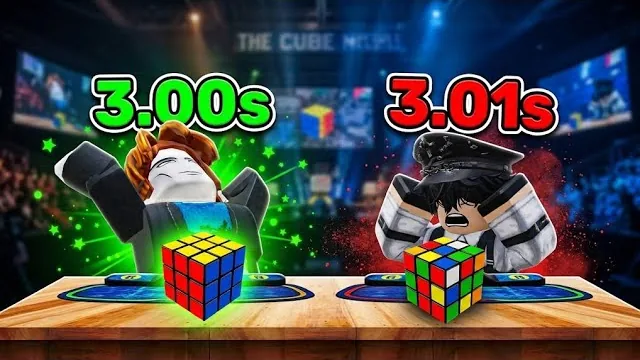
In Solve The Cube on Roblox, players turn the cube by memorizing a displayed key sequence and typing the exact letters from memory. Entering the correct sequence executes turns automatically to solve the scramble during head-to-head matches against rivals.
Core Turning Mechanism and Typing Inputs
Turning the puzzle in standard matches relies entirely on typing accuracy. The game presents a scramble alongside a prompt showing the exact characters needed to manipulate the faces. Players submit inputs through their standard keyboard controls to register turns on screen.
Each keystroke advances the cube through its necessary rotation steps. In standard gameplay, letter prompts such as D, E, U, A, I, W, and K appear as part of the sequence. Typing the designated key sequence rapidly allows your cube to cycle through its turns before your competitor completes theirs. A mistake pauses turn execution until the correct sequence resumes, making steady input cadence just as effective as raw typing speed.
Standard Sequence and Zero Assist Modes
The experience offers two distinct approaches to rotating puzzle faces. Players can follow the built-in memory prompts or take manual control of the cube turns through an alternate setting.
| Mode Option | Playstyle Focus | Solving Requirement |
|---|---|---|
| Standard Sequence | Rapid competitive typing | Memorizing and typing prompted letters |
| ZERO ASSIST | Manual speedcubing | Solving a real scrambled cube yourself using real algorithms |
The primary mode centers on memory and typing execution, turning the puzzle piece by piece as inputs match the prompt. Selecting zero assist removes sequence prompts, requiring players to solve the scrambled cube directly. This setting supports real-world speedcubing algorithms across different cube types, such as 2x2 and 3x3 variants, letting players execute their own turn solutions against the timer.
Match Structure and Turn Timing
Matches put players in direct competition against another player or an AI bot across multiple rounds. A round begins with both players seated at tables while timers record the elapsed time for each participant.
- Review the initial scramble and any sequence cues displayed before the countdown finishes.
- Type the turn letters from memory to rotate the cube segments toward the solved state.
- Complete the final turn sequence before the rival finishes their cube to win the round.
Rounds run in a first-to-three format across a series of up to five rounds. Winning an encounter awards the First Win badge alongside Coin rewards. Faster turning speeds contribute directly to overall times, allowing competitors to target milestone accomplishments like the Sub 5 badge for finishes under five seconds.
Match Rewards and Cube Customization
Completing rounds in multiplayer races yields Coins based on round results. A single match round can yield Coins directly into your balance, while daily rewards provide lump sums such as 500 Coins upon logging in.
Players spend accumulated Coins on cosmetic items in the shop. These purchases include custom cube skins, accessories, and furniture crates like the Brain rock crate or alternative stools. Changing skins personalizes the visual look of the puzzle pieces without altering the underlying key sequences or physical turning speeds required during competition.